MME Studio • University of Waterloo
Revamping a hiring portal
I led and executed the end-to-end design process.
Presented design decisions to management & collaborated with developers.
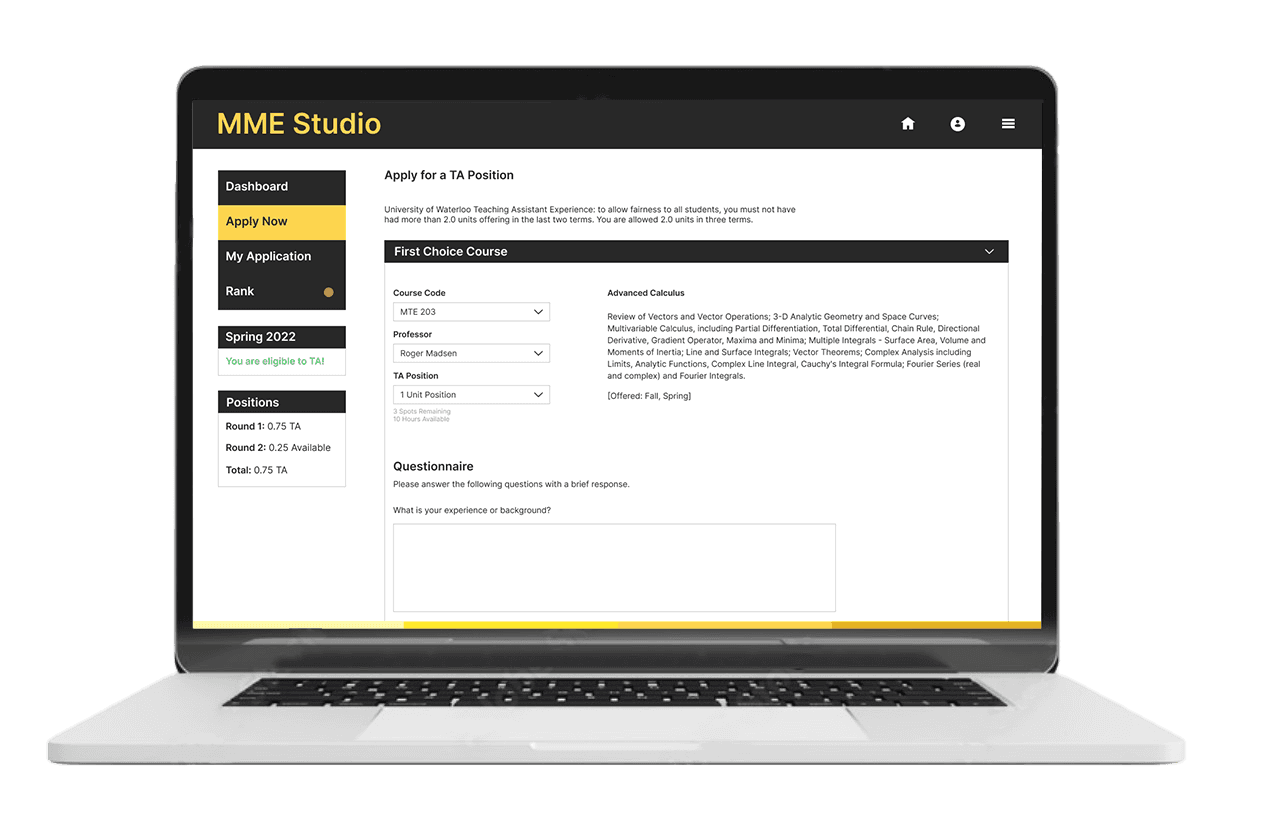
Summary
Reduced missed deadlines through a clearer hiring experience
The new portal supports students and professors by surfacing critical information and tasks. This reduced missed deadlines and lowered the number of manual change requests handled by administrators.
Context
A system that left students guessing
MME Studio is a portal for the engineering faculty. It houses multiple applications including one for students to apply for teaching assistant positions.
The hiring process involves multiple steps from different stakeholders across a timeline, each with their own deadline.
Problem Scope
Missed TA opportunities
Students struggled to navigate the portal, complete applications, and understand hiring timelines.
Research
Students have a lot on their plate
Job competition is high, and students are also applying for other roles. The hiring application added friction to an already complex hiring process.
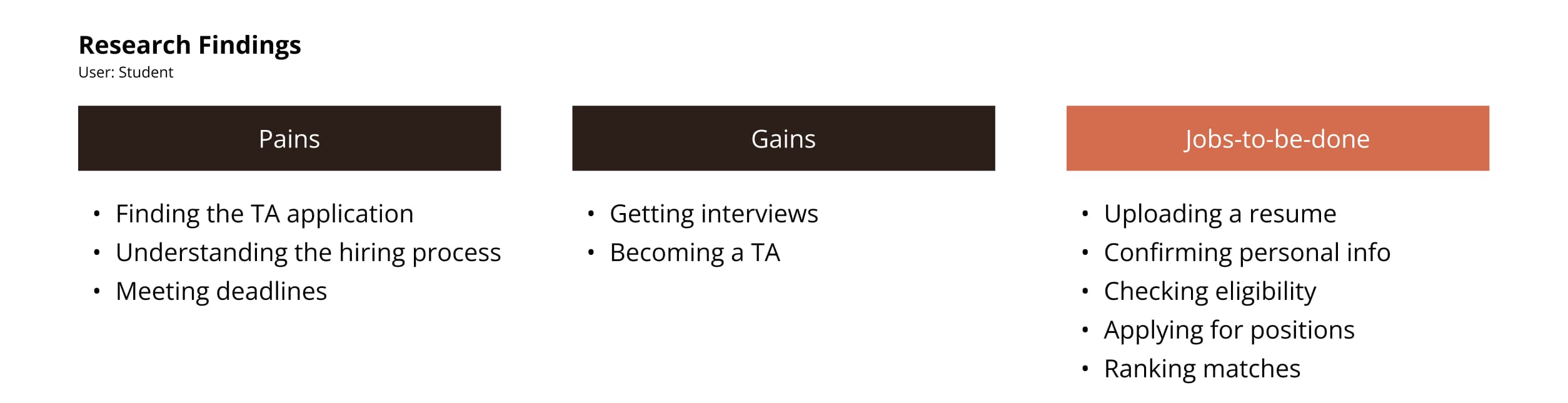
A deep dive into the tasks and obstacles in the student experience.
Research
Multiple user roles
I needed to consider student, professor and admin views, as their tasks depend on each other’s input.
Insights
• Inconsistent interface made navigation difficult
• Unclear hiring steps and tasks led to missed deadlines
• Missed deadlines led to incomplete applications
• Admins were manually overriding application mistakes
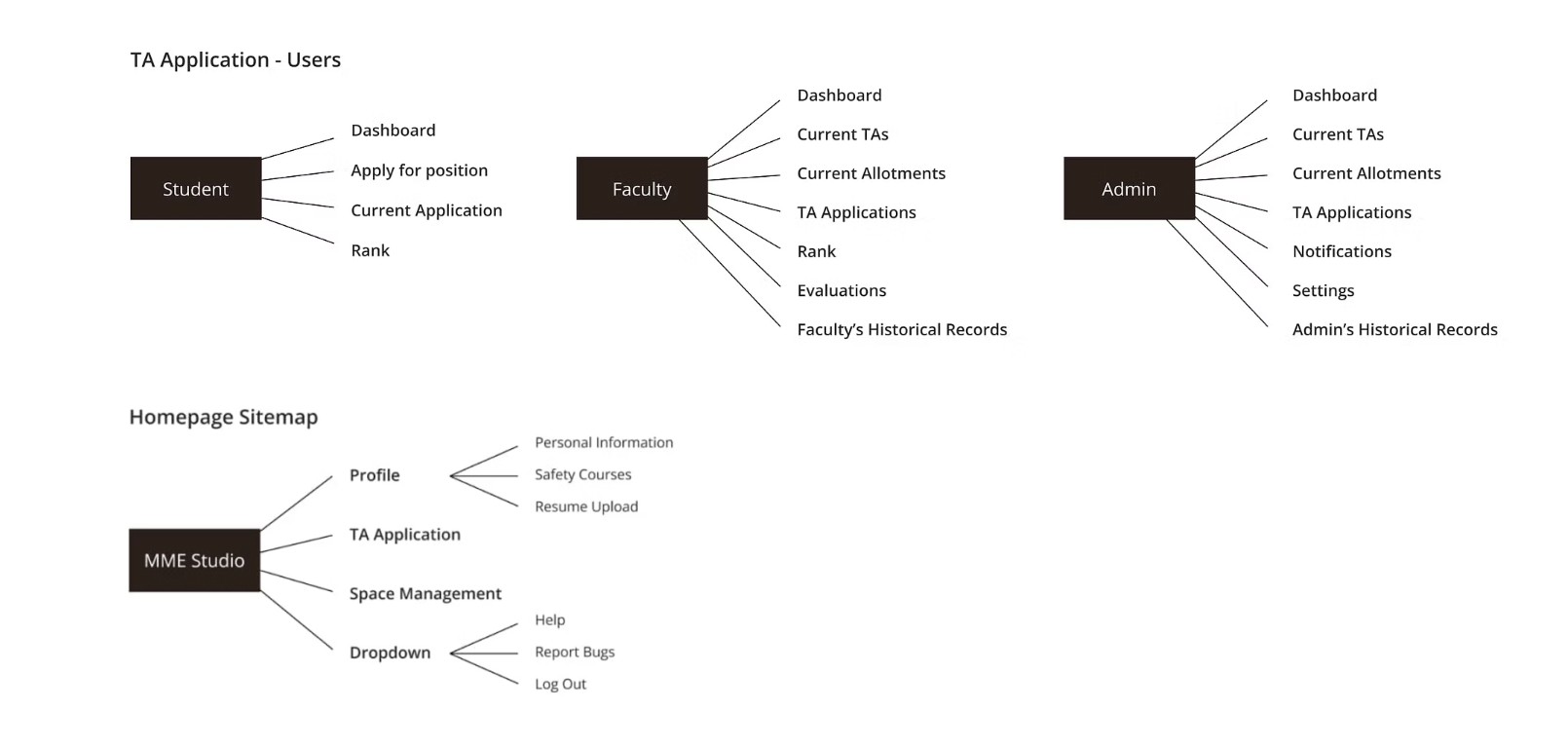
Visualizing the current site map helped improve information architecture.
Design
Showing students where they stand
The dashboard had a lot of potential to illustrate to students how the hiring process worked, and their current standing within it.
Before
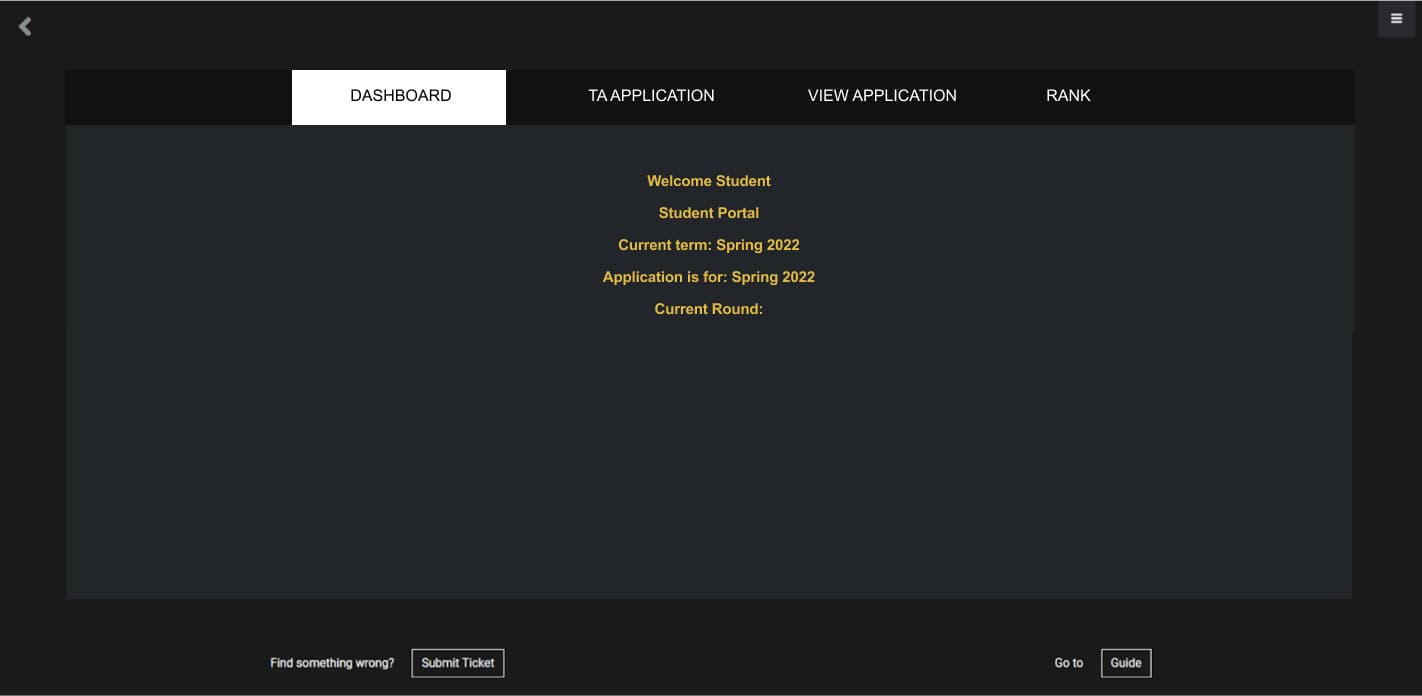
• Contained minimal content
• Hiring steps & required tasks were not clearly communicated
After
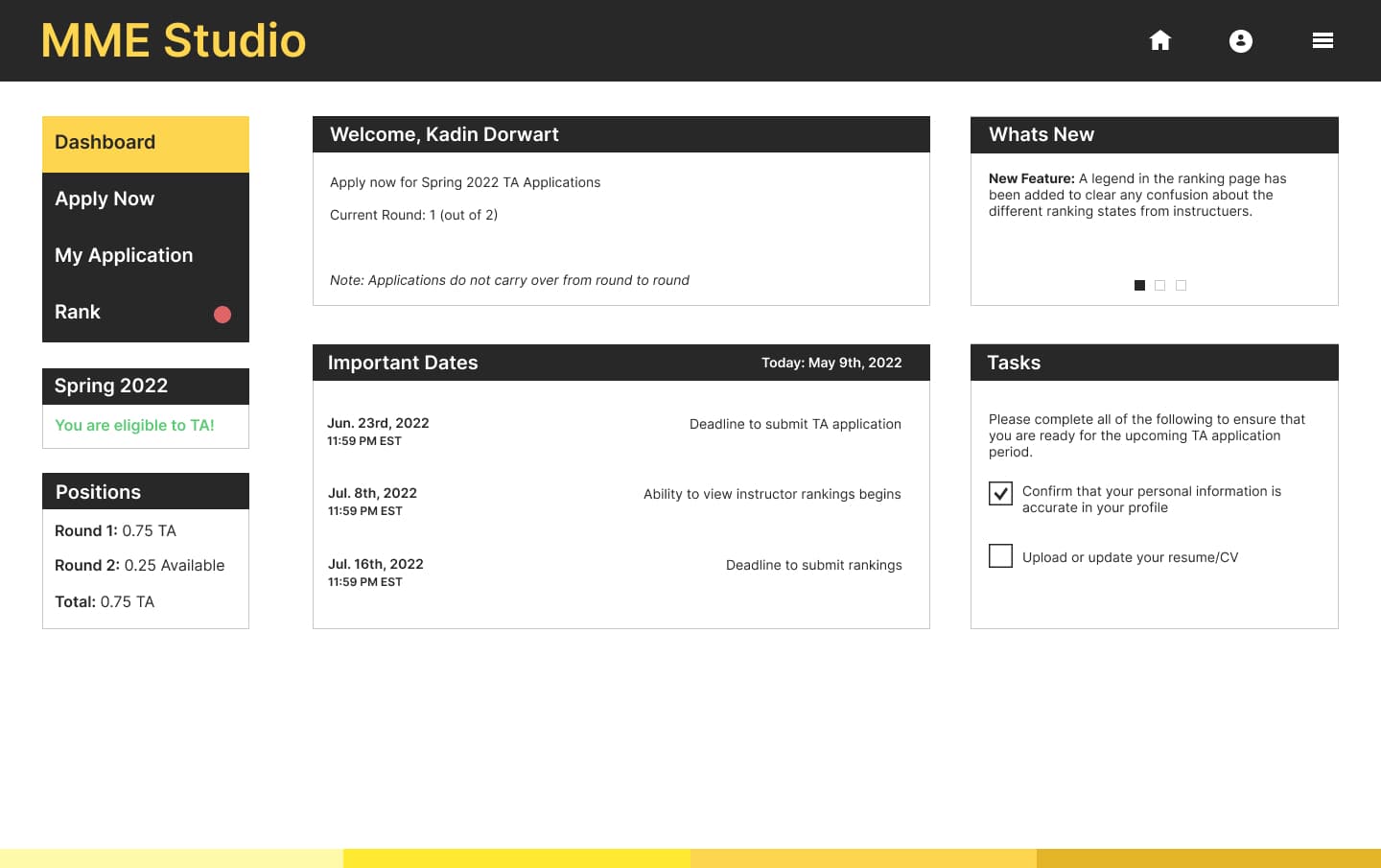
• Introduced an Important Dates section to surface previously hidden deadlines
• Added application statuses and a task list to clarify progress and next steps
Design
Streamlining the application process
Students applied by course, selecting up to five and tailoring each application. I grouped content into course-specific dropdowns to reduce cognitive load and improve readability.
Before
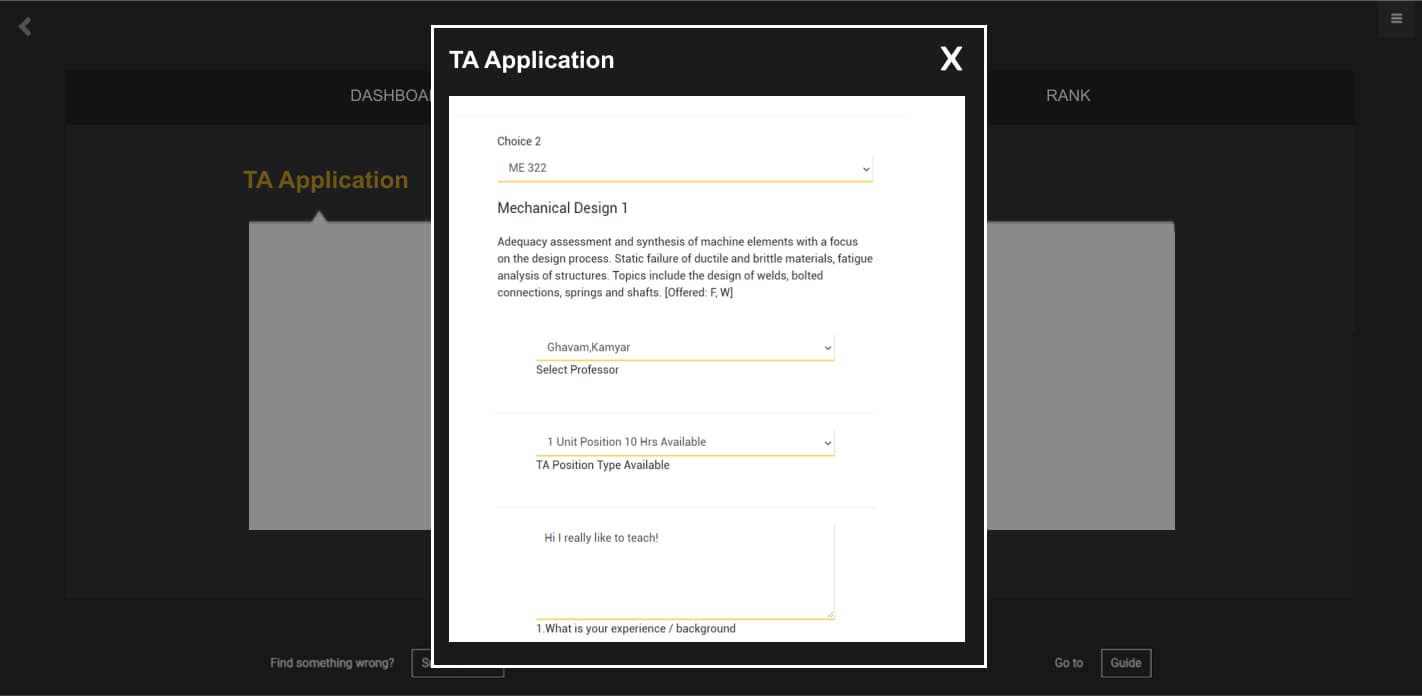
• Relied on long popup forms for applications
• Key inputs were easy to miss
After
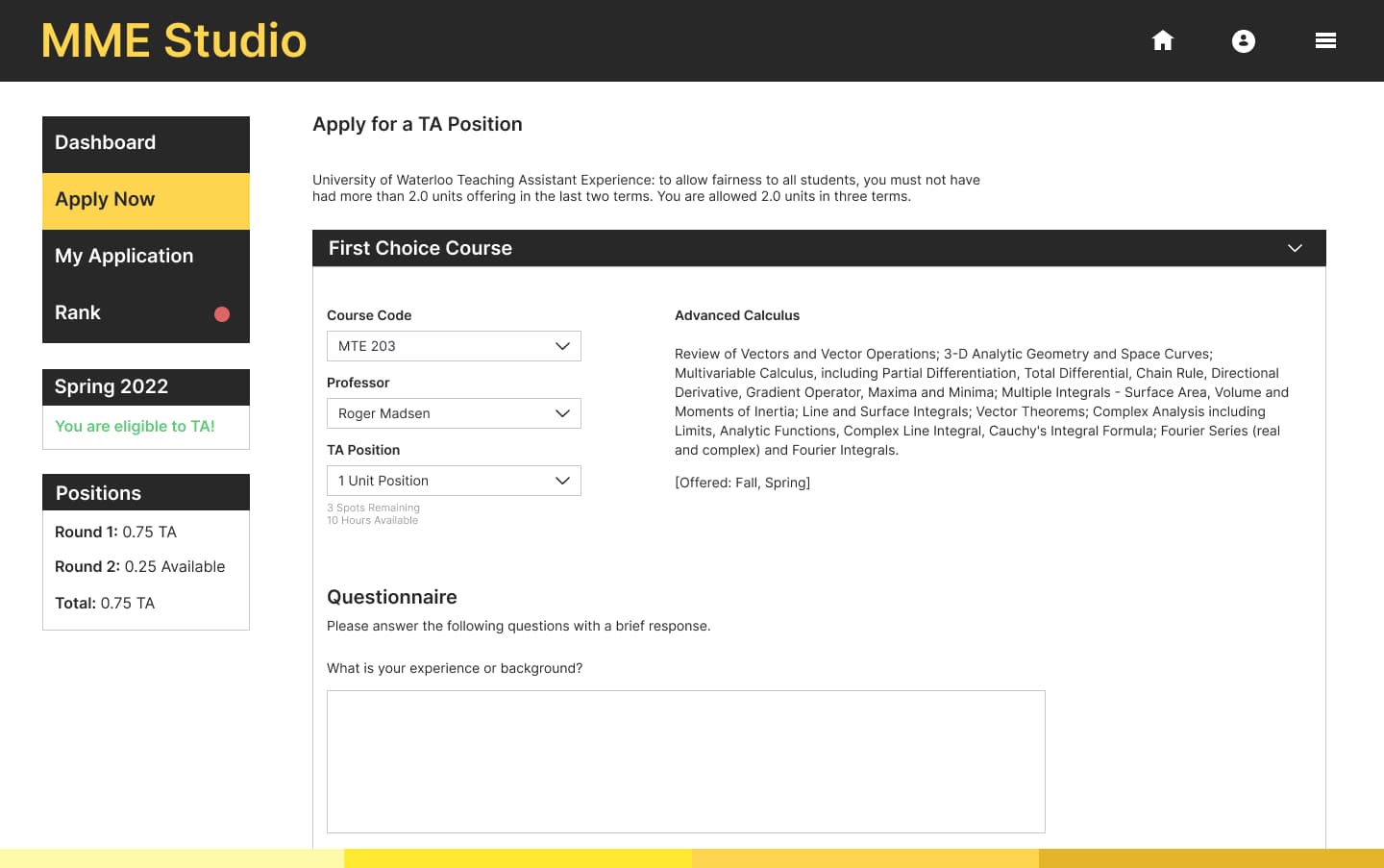
• Simplified the form layout to support faster, more confident applications
• Improved screen space usage to make required fields easier to scan
Design
Simplifying navigation
Students struggled to find the TA application, exposing unclear homepage navigation. The upcoming introduction of a new Space Management tool made clear entry points even more critical.
Before
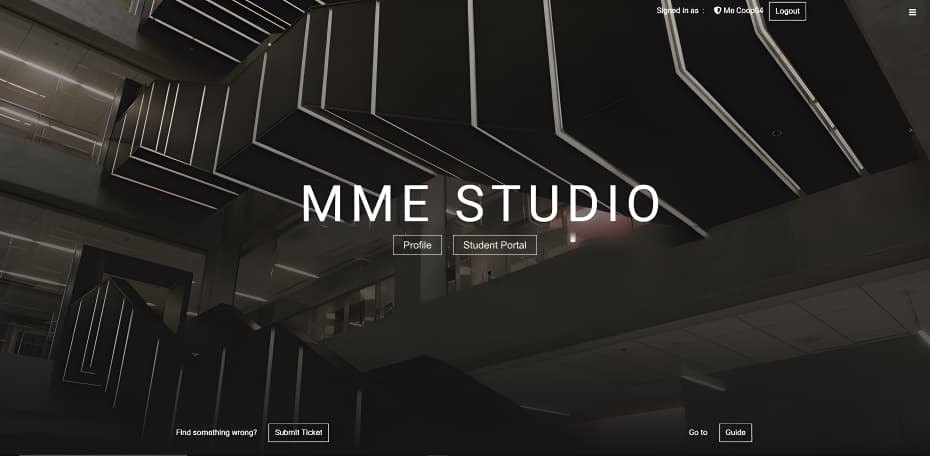
• Actions were scattered across the homepage
• The “Student Portal” button unexpectedly led to the TA application
After
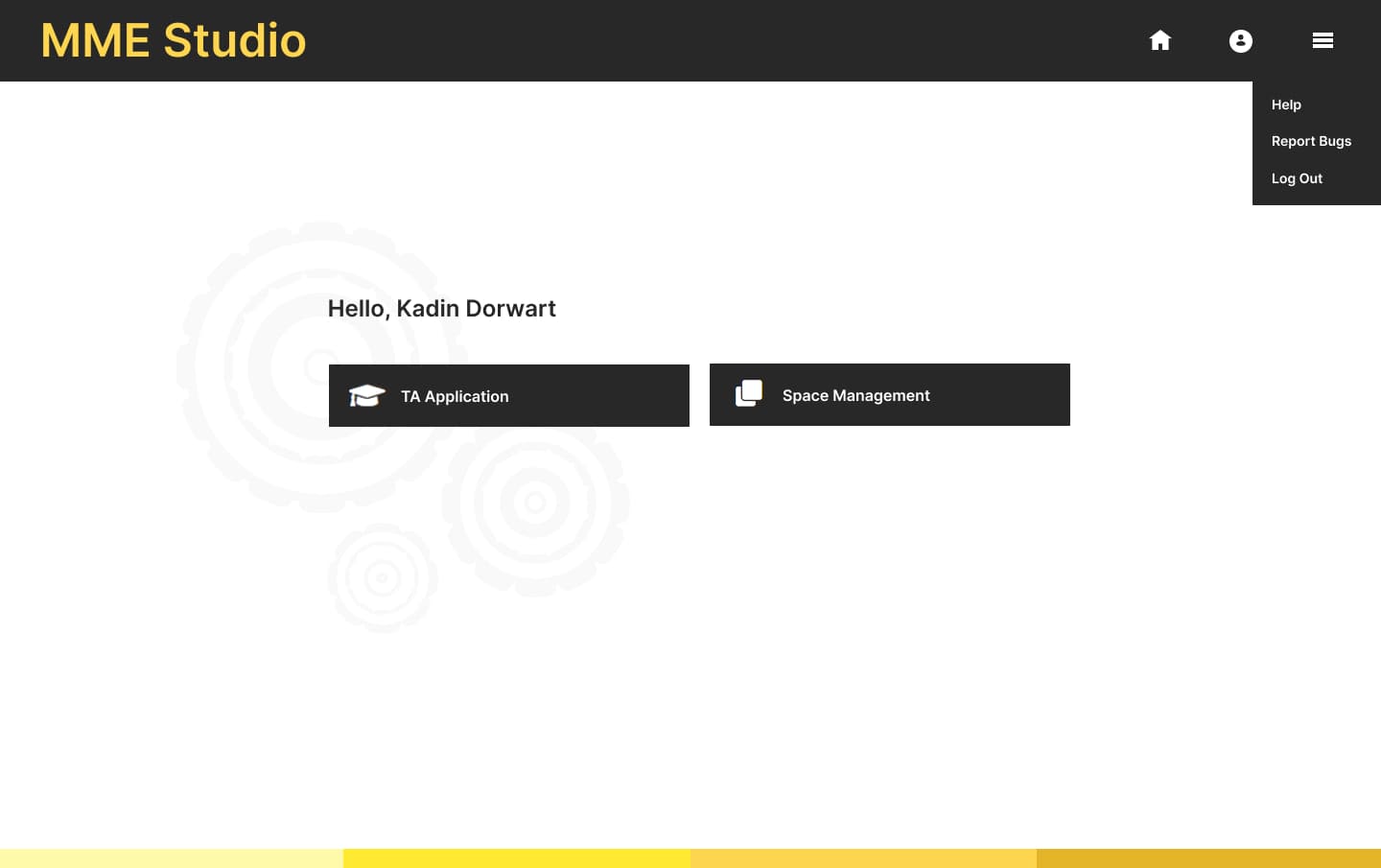
• Introduced a top menu for home, profile, log out and more.
• Kept the main page focused on navigating between applications
Results
I was told that the new portal had “nothing but positive feedback” from students. Having the opportunity to improve and add on to an existing application for my university was a rewarding experience.
Reduced missed deadlines
“Outstanding” rating on work performance
Working within constraints
Stakeholder availability shaped the pace of the project. I learned to design ahead, explore alternatives in parallel, and keep progress moving.
Rationalizing designs
Presenting my work to management strengthened my ability to communicate my design decisions clearly, and align with development.
Designing with limited research
With minimal user input, I relied on UX principles and pattern recognition to identify friction points and propose practical improvements.
Designing with development in mind
Building with HTML, CSS, and Bootstrap deepened my understanding and strengthened my collaboration with developers.